Visual hooks: 9 sound-off openers you can shoot today
Copy visual hooks for short videos, with phone shot steps, text templates, and a simple test plan for Reels, Shorts, and TikTok.
TL;DR
- 1.A visual hook should make sense before the viewer reads the caption or turns sound on.
- 2.Pick the visual pattern first. Then write the text hook that explains the tension on screen.
- 3.Easy patterns include before/after splits, object-in-hand shots, texture text, fast motion, and problem close-ups.
- 4.Shoot openers as separate clips so you can test different starts with the same body video.
- 5.Track hooks by pattern so you know which opener style deserves another version.
On this page
Visual hooks are the first image, motion, or layout that makes someone pause before they hear a word. The best ones create a small mismatch: broken next to fixed, clean next to messy, normal next to odd, hidden next to revealed.
You do not need a big setup. You need a clear first frame, a written hook that names the tension, and a body clip that pays it off.
What is a visual hook?
A visual hook is the opening shot that interrupts the scroll before audio or caption context. It can be a face, a tool, a split screen, a mess, a reveal, or a strange process shot.
It works best when the viewer can read the tension with sound off: broken vs. fixed, normal vs. odd, empty vs. full, clean vs. messy, hidden vs. revealed.
Motion describes hook score as how well your video captures attention in the first 3 seconds, according to its Help Centre. Opus says Visual Hook appears in 2,847 clips across 3 subcategories, with Visual Demonstration as the largest subcategory at 1,316 clips, according to Opus.
The choice is not visual or text. It is which one does the first job. If the product, mistake, or result can be seen, start with the visual.
How do you plan a visual hook before you shoot?
Use a simple visual hook brief
- 1
Pick the pattern
Choose the shape first: split, close-up, reveal, object in hand, fast reset, or reaction.
- 2
Choose the proof
Use the receipt, sample, tool, product, model, screen, box, or mistake that proves the point.
- 3
Add one move
Point, wipe, open, drop, cover, circle, compare, or pull away. Keep it easy to follow.
- 4
Write the text hook
Name the question on screen. Do not repeat what the viewer can already see.
- 5
Promise the payoff
Decide what will be true by the end of the clip. Make the first frame show why that payoff matters.
The visual hook should create the question. The written hook should name it. The payoff should answer it.
| Visual pattern | What the viewer sees | On-screen text | Business example |
|---|---|---|---|
| Before/after split | Bad result beside good result | “One small change fixes this.” | Bakery: dense loaf beside airy loaf |
| Object in hand | A document close to camera | “Check this before you file.” | Accountant: receipt with missing notes |
| Problem close-up | A flaw or confusing detail | “This is the real cause.” | SaaS: a confusing billing screen |
| Cover and reveal | A note hides the answer | “Guess which costs more.” | Cafe: two drinks with different margins |
| Text on texture | Words on a real surface | “Stop doing this.” | Dentist: model tooth with a sticky note |
Which visual hooks work with the sound off?
Use these as openers, not full scripts. Film each opener as a separate clip so you can attach it to the same demo, offer, FAQ, or founder note.
| Pattern | What to show | How to shoot it | Business examples |
|---|---|---|---|
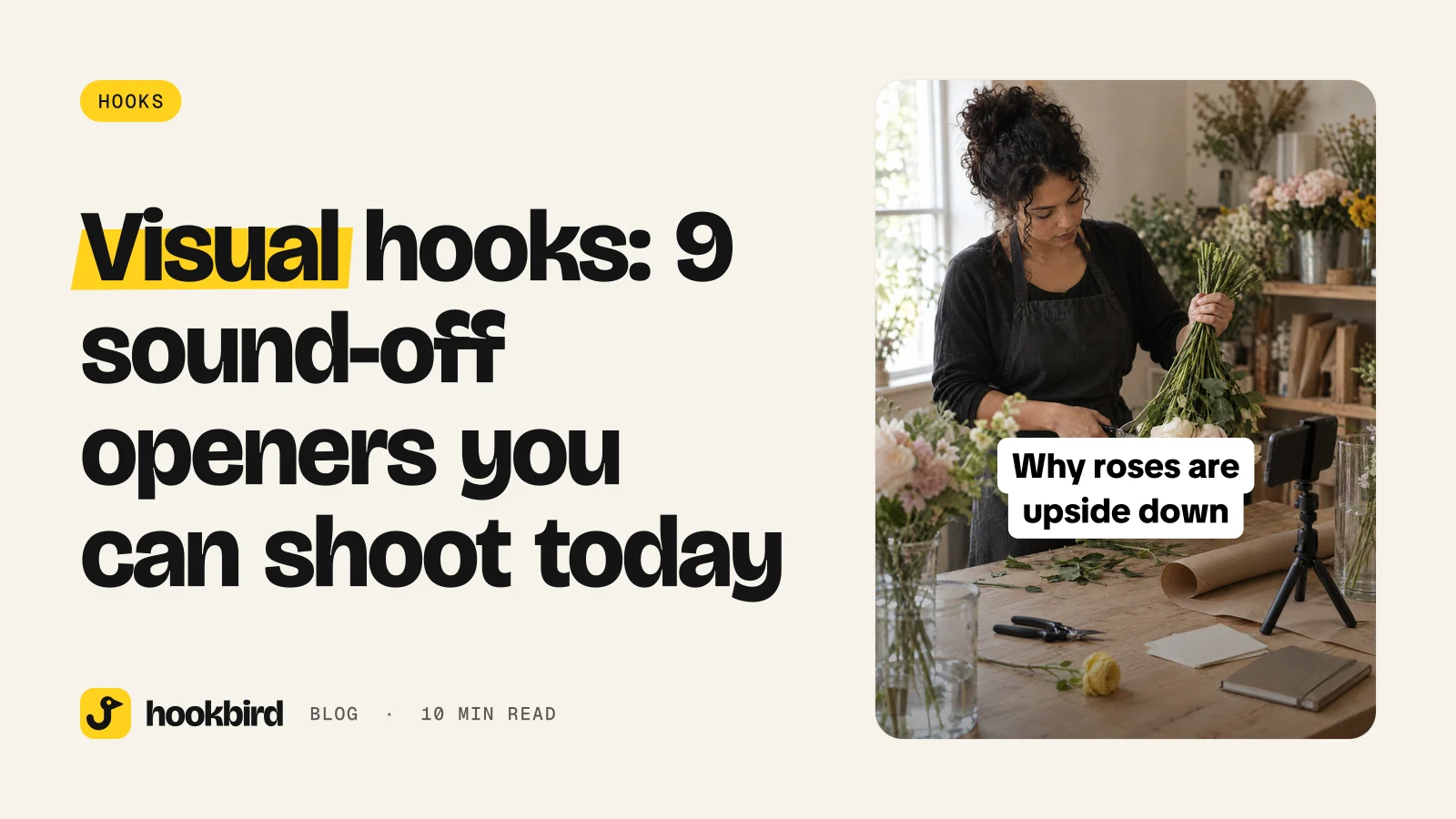
| Unexpected first frame | The strangest safe frame from your process. | Start tight. Hold for a beat, then pull back. | Florist holding roses upside down; bakery tapping a tray that looks too dark. |
| Before/after split | The bad state and good state together. | Keep the camera still. Make the contrast clear. | Menu photo under yellow light vs. window light; gym posture before and after a setup change. |
| Object in hand | A tool, part, receipt, or sample. | Hold it near the lens. Point at one detail. | Mechanic holding a worn brake pad; accountant holding a receipt with no vendor name. |
| Text on texture | Large text on a receipt, box, mirror, counter, or label. | Write big. Fill most of the frame. | Salon writing on a mirror; candle brand labeling a sample “too sweet.” |
| Fast motion reset | A hand wipes, opens, drops, clears, or changes the scene. | Start before the motion. Make the first action happen right away. | Cleaner wiping one stripe through a stovetop; cafe dropping garnish into a drink. |
| Problem close-up | The stain, crack, lump, gap, or confusing part. | Get close enough that the problem fills the frame. | Dentist showing plaque on a model tooth; SaaS founder circling a bad field. |
| Cover and reveal | The answer hidden by a hand, note, box, towel, or screen. | Cover the detail in frame one. Remove it slowly enough to read. | Store revealing the cheaper gift bundle; coffee shop revealing two drink sizes. |
| Scale contrast | Small vs. large, cheap vs. premium, old vs. new. | Put both items on the same surface. | Packaging brand showing a sample box beside a shipping carton; skincare brand showing trial and full sizes. |
| Silent reaction | A face, pause, point, gesture, or silent “no.” | Start on the reaction. Add text that explains the problem. | Bookkeeper reacting to mixed receipts; dentist pointing at a model after bad floss advice. |
- 01
Unexpected first frame · Unexpected first frame: “Why is [weird object/action] in our [process/product]?”
Why is this florist holding roses upside down?
The image makes no sense yet. It needs a useful answer, not just a weird shot.
- 02
Before/after split · Before/after split: “The difference between [bad result] and [good result] is usually [small change].”
The difference between a flat menu photo and a crisp one is usually the window.
The viewer can compare fast. Keep both sides clear at a glance.
- 03
Object in hand · Object in hand: “If your [thing] looks like this, do [action] before [deadline/mistake].”
If your brake pad looks like this, book service before the weekend drive.
The object proves the topic. Avoid tiny items that are hard to read.
- 04
Text on texture · Text on texture: “Stop doing [habit] if you want [result].”
Stop booking color from a screenshot if you want this blonde.
The words feel part of the scene. Use large, high-contrast text.
- 05
Fast motion reset · Fast motion reset: “Watch [mess/problem] turn into [clear result].”
Watch this greasy stovetop turn into a rental-ready kitchen.
The motion starts the story. Do not cut so fast that the viewer misses the change.
- 06
Problem close-up · Problem close-up: “This tiny [flaw] is why [bigger problem] keeps happening.”
This tiny checkout field is why shoppers keep leaving.
One detail explains a bigger pain. Make the link clear in the next shot.
- 07
Cover and reveal · Cover and reveal: “Guess which [option] costs more.”
Guess which lunch special costs us more to prep.
People want to check their guess. Add a lesson after the reveal.
- 08
Scale contrast · Scale contrast: “Most [buyers/customers] compare these wrong.”
Most candle buyers compare these sizes wrong.
The frame shows a choice. Explain the tradeoff fast.
- 09
Silent reaction · Silent reaction: “When [common advice] makes [problem] worse.”
When ‘just use a spreadsheet’ makes month-end worse.
The reaction adds emotion without audio. Keep the point specific.
How do you pair the visual with a written hook?
Do not make the visual and the text say the same thing. If the viewer sees a messy counter, the text should not say “messy counter.” It should say why the mess matters.
- Visual contradiction + text explanation: show the odd thing, then explain why it belongs.
- Visual problem + text cause: show the flaw, then name the reason it keeps happening.
- Visual result + text process: show the finished state, then promise the steps.
- Visual object + text warning: show the item, then warn what to check.
- Visual motion + text payoff: show the action, then name the result.
| Weak text hook | Stronger written hook | Matching visual opener |
|---|---|---|
| “Tips for better invoices.” | “Your invoice is not late. It is confusing.” | Red circles around missing payment terms. |
| “New candle drop.” | “We rejected this scent twice before it worked.” | Hand pushes two labeled sample jars aside. |
| “Try our lunch special.” | “The fastest order on our menu is not the sandwich.” | Timer beside a salad bowl being packed. |
| “Clean with us.” | “This stain needs a dry step before spray.” | Close-up of the stain with spray bottle held back. |
How do you shoot visual hooks with a phone?
- 1
Set the phone
Clean the lens. Film vertical. Face the best light. Lock focus if your phone allows it.
- 2
Pick the inputs
Choose a few products, problems, or questions. Match each one to a different opener pattern.
- 3
Film openers first
Shoot several takes of each first frame as separate clips. Keep the first frame uncluttered.
- 4
Film the body once
Record the demo, answer, or explanation after the openers. This lets you test starts without reshooting the whole post.
Simple shot list
- Close-up of the flaw.
- Overhead comparison.
- Hand-held reveal.
- Split frame with two objects.
- Large text on a physical surface.
- Fast wipe or reset.
- Object drop into frame.
- Pointing gesture.
- Silent reaction shot.
Keep a small prop kit nearby: sticky notes, marker, receipt, towel, glass, box, tape, timer, old sample, and new sample. These make reveals and comparisons easier.
How do you test visual hooks without guessing?
Group posts by opener pattern: before/after, object in hand, text on texture, fast motion, close-up, reveal, scale contrast, and reaction. Do not only track the topic.
For a cleaner test, keep the body video the same and change only the first frame and written hook. Then compare the posts by the same metric your publishing or analytics tool gives you.
Motion suggests choosing a date range for a hook performance report and says “last 14 days works well for recent trends,” according to its Help Centre. Use a range you can repeat, then compare patterns inside that range.
| Date | Platform | Opener pattern | Written hook | Body topic | Format | Result notes | Reuse idea |
|---|---|---|---|---|---|---|---|
| [date] | [platform] | [before/after] | [hook line] | [demo topic] | [video/slideshow] | [what happened] | [next version] |
Save hooks that worked as assets, not just posts. The same visual pattern can introduce a demo, offer, FAQ, founder note, or customer objection.
How to do this in Hookbird
- 1
Start with your brand
Paste your website URL into Brand onboarding. Hookbird drafts a brand card, likely competitors, audience segments, content angles, and a content plan you can edit.
- 2
Write the text hook
Use Hook Lab to write or generate a hook from your brand and angles. Review the score, pattern, what works, what to fix, and estimated percentile against your niche.
- 3
Make versions
Use one-click rewrites for the same visual opener, then send the hook to Create. Choose formats such as slideshow, wall of text, hook + demo, short video, images, or UGC talking head when a presenter makes sense.
- 4
Publish and review
Use Scheduling to publish from one composer and calendar. Use Benchmarks and analytics to review results by format and hook pattern, with your engagement shown next to your niche median and benchmark sources labelled.
Frequently asked questions
What are visual hooks on TikTok, Reels, and Shorts?
Visual hooks are the first image, motion, or layout that gets attention before the viewer hears audio. They can be split screens, close-ups, reveals, text on objects, or silent reactions.
How do you make a video hook work without sound?
Show a clear contrast or problem in the first frame. Then add on-screen text that explains why it matters. Avoid jokes or explanations that only work if the viewer hears the voiceover.
What should be in the first frame of a short video?
Put the most specific proof in the first frame: the broken part, the result, the strange process step, the tool, or the comparison. Keep it uncluttered and easy to read.
Are visual hooks better than text hooks?
Not always. Visual hooks are strong when the product, process, or problem can be seen. Text hooks are better when the idea is abstract, emotional, or needs a sharp claim. Many strong short videos use both.